Is your Lovable app broken? 5 causes to check
Your Lovable app loads, but sign-up, login or payments fail? Five common causes, how to fix each, and how to find out before your users tell you.
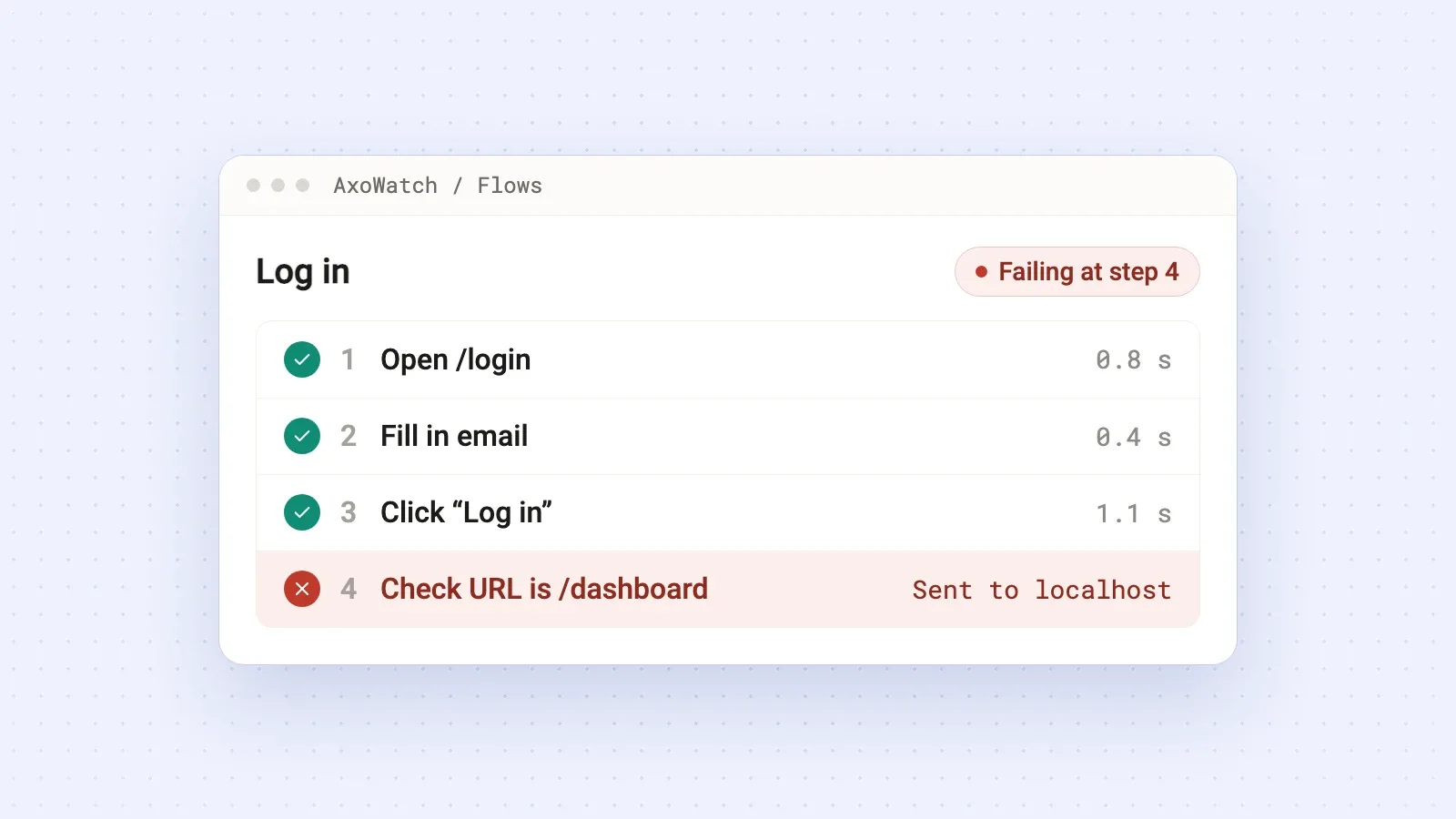
When your Lovable app opens but people can't sign up, log in or pay, the cause is almost always one of five things: a recent change broke a feature you didn't touch, the live app is missing a setting the preview has, sign-up emails aren't delivered, the payment webhook fails, or something outside your code went down (domain, platform, backend, API credits). To hear about it before your users do, have something open your published app on a schedule, go through sign-up the way a stranger would and alert you when a step fails.
Start with the live app, not the preview
Open your published URL in a private window, logged out. Sign up with a fresh email address you own. Log in. Open the page where people pay. Five minutes of this tells you which of the causes below you're dealing with.
The preview in the editor runs as you, with your session and your data. It hides most of these problems.
1. A change broke something you didn't touch
You ask for a new feature, it works, and the next day someone writes that they can't log in. AI edits often reach into shared code: an auth helper, a layout, the check that sends logged-out visitors to /login. The feature you asked for gets looked at. The path next to it doesn't.
To fix it, start with history. Lovable keeps a history of your project's versions. Find the last version where sign-up worked and compare. Then either revert to it or ask for a narrow fix and paste the real error from the browser console: "Sign-up stopped working after the last change. The console shows TypeError: Cannot read properties of null (reading 'id') on /welcome." A real error gets a much better fix than "it's broken".
Next time, go through sign-up and login on the live app after any change near auth, layouts or routing. Or let a scheduled check do it for you (more on that below).
2. It works in preview but breaks on the live app
The preview and the published app don't share everything. The usual suspects:
- A secret or API key exists in the editor but not where the app is deployed. Moving hosting to Vercel or Netlify without copying the environment variables gives you a blank page or failing requests.
- Login sends people back to the preview address or to localhost. If your app uses your own Supabase project, check Authentication → URL Configuration: the Site URL and the Redirect URLs list must include your live domain.
- You made changes but never published the update, so the live app still runs last week's version.
The fix is boring but reliable. Go through the settings for both places one by one: keys, redirect URLs, the domain your login provider allows. Then publish and test on the live URL.
And remember that only a test on the published URL counts. A green preview says nothing about production.
3. Sign-up emails don't arrive
This one fools a lot of people because it works perfectly for the person who built the app. If your app runs on your own Supabase project with the built-in email service, Supabase's docs say that service only delivers to members of your project's team, allows a couple of messages per hour and isn't meant for production. You get your confirmation email. A stranger signs up, waits, gets nothing and leaves.
To fix it, connect your own email provider (custom SMTP) in Supabase Auth settings. Resend, Postmark, SendGrid and Amazon SES are common picks. Then sign up with an address outside your team and check both the inbox and the spam folder.
How would you catch it earlier? A browser check can confirm the form submits and shows "Check your email". It can't see whether the email arrived. So once a week, sign up with a test address yourself, and keep an eye on how many new accounts get confirmed.
4. People pay, but nothing happens
The customer goes through Stripe Checkout, the money arrives, and the app never unlocks their plan. Typical causes:
- The webhook signing secret in your app doesn't match the endpoint in Stripe. Test mode and live mode have separate endpoints and separate secrets, so switching to live is a common moment for this to break.
- The live site still uses test keys, or live keys are paired with a test webhook.
Start in the Stripe Dashboard: open your webhook endpoint and look at recent deliveries. A failed delivery shows the status code and response your app sent back, which usually points straight at the problem. Fix the secret, then resend the failed events from Stripe so the customers who already paid get access.
To catch it earlier, never let an automatic check pay with a real card. Have it go as far as the Stripe Checkout page and confirm it opens with the right plan. And after every change to payment code, look at failed deliveries in Stripe.
5. Something outside your code went down
Your app can break with no change on your side:
- The custom domain stops working while the lovable.app address is fine. Usually DNS records or the certificate.
- Lovable, Supabase or Stripe has an incident. Check status.lovable.dev and the status pages of the services you use before you start changing code.
- An AI feature in your app ran out of API credits or hit its quota, and now every request returns an error. With OpenAI that's a
429withinsufficient_quota.
Check in this order: status pages first, then your domain's DNS records, then billing at your API provider.
What catches this early: an uptime check on your own domain, a warning before the certificate expires, and a flow that uses the AI feature at least once.
How to find out before your users do
All five problems have one thing in common: the home page still loads. A check that only asks "does the site answer?" stays green through every one of them. What catches them is going through the actual path on the live app, again and again.
With AxoWatch user flow monitoring that looks like this:
- Record the path once. Open your published app with the AxoWatch Chrome extension, press Record and log in with a test account, the way a user would. Each click and field becomes a step. Passwords aren't recorded; you add the test password in the app.
- End on proof. The last step checks the thing that shows it worked: the URL is /dashboard, or "Check your email" appears after the sign-up form.
- Let it run. A real browser repeats the flow on your live app on a schedule: every 6 hours on Free, every hour on Starter, every 30 minutes on Pro and Agency.
- Get one alert, not ten. If a run fails, AxoWatch runs it again right away. You're alerted only if it fails twice, with the step that broke and a screenshot of every step, in Telegram, Slack, Microsoft Teams, a webhook or, on paid plans, email.
Add an uptime check for your domain on top. It also warns you before the SSL certificate expires.
A note on sign-up: a flow that completes sign-up creates a new account on every run, and it uses the same email each time. Most apps are better served by two flows: one that fills in the sign-up form and stops before the final button, and one that logs in with an existing test account. Our guide to sign-up flow monitoring covers the options.
Lovable Project monitoring and AxoWatch: use both
Lovable has two features of its own worth turning on. Project monitoring (beta, on Pro, Business and Enterprise) reviews your code and recent visitor errors on a schedule, daily by default or weekly, and emails you important findings. Browser testing clicks through your app in a real browser when you ask, against the preview.
Both look at the app from the inside. AxoWatch looks from the outside: it opens the published app on your domain and goes through sign-up like a stranger, as often as every 30 minutes. Lovable helps you find the cause in the code. AxoWatch tells you the live path stopped working. There's more on running them together on our page for Lovable apps.
What this won't tell you
Whether your data is safe. A flow can't tell you if row level security is on or if one user can read another user's records. That needs a security review, and Lovable has security scans of its own. A flow only confirms that a real path works for a real visitor.
Start with the one path your app can't live without. For most apps that's logging in, so record that flow today.
Questions
How do I know if my Lovable app is broken?
Open the published URL in a private window, logged out, and go through sign-up, login and the way to payment. To catch the next problem early, have a scheduled check go through those paths on the live app and alert you when a step fails.
Why does my Lovable app work in preview but not when published?
The two don't share everything. Common causes are a secret or API key that is missing where the app is deployed, login redirect URLs that point at the preview or localhost, and changes that were never published.
Why aren't users getting my sign-up confirmation emails?
Supabase's built-in email service only delivers to members of your project's team and sends a few messages per hour, so strangers never get the email. Connect your own email provider through custom SMTP in Supabase Auth settings.
Does Lovable Project monitoring check my live app?
It reviews your code and recent visitor errors on a schedule, daily by default or weekly, on Pro plans and up. Lovable's browser testing runs against the preview when you ask. AxoWatch adds a check that goes through sign-up and login on the published app.
Do I need to install anything in my Lovable project?
Not for user flows. AxoWatch opens your published app from outside like any visitor, and you record the flow once with the Chrome extension.
Try it on your site
User Flow Monitoring
Checkout and sign-up, walked like a real visitor.





 I’ll keep an eye on it.
 You
You