Where to find your Sentry DSN and how to change it
Find your Sentry DSN in Client Keys, see where each framework keeps it, and point it at another Sentry-compatible backend such as AxoWatch.
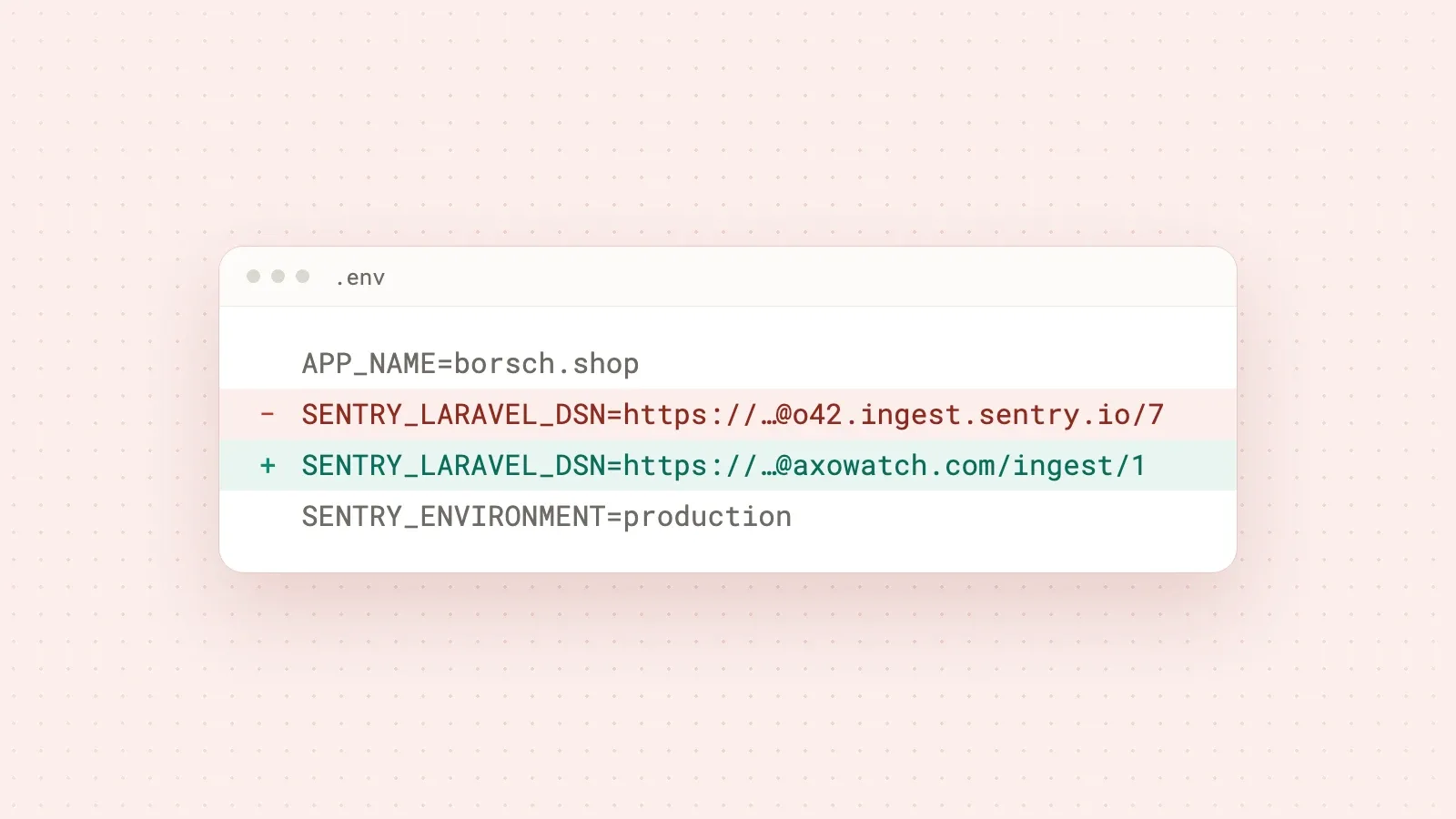
Your Sentry DSN is in Sentry under Project Settings → Client Keys (DSN), and it looks like https://<key>@o<orgId>.ingest.sentry.io/<projectId>. In your app it usually lives in an environment variable such as SENTRY_DSN or SENTRY_LARAVEL_DSN, or in the Sentry.init call of your browser code. The DSN only decides where the SDK sends events. Replace it with the DSN of another Sentry-compatible service and the same SDK starts reporting there, with no other code changes.
What a DSN is
DSN stands for Data Source Name. It is the address the Sentry SDK sends errors to, plus the key that says which project they belong to. Sentry's docs describe the format as:
{PROTOCOL}://{PUBLIC_KEY}:{SECRET_KEY}@{HOST}{PATH}/{PROJECT_ID}
In practice you will see three parts: the public key before the @, the host after it and the project ID at the end. The secret key part is optional and, in Sentry's words, effectively deprecated, so most DSNs don't have it.
Where to find it in Sentry
- Open your project in Sentry.
- Go to Settings → Projects → your project → Client Keys (DSN). The address ends in
settings/projects/<project>/keys/. - Copy the DSN of the key your app uses. A project can have several keys, for example one per environment.
The DSN also appears in the setup snippet Sentry shows when you create a project.
Where your app keeps it
The SDK reads the DSN from your config or from the environment. Where to look depends on the stack:
| Stack | Where the DSN usually is |
|---|---|
| Laravel | SENTRY_LARAVEL_DSN in .env |
| Node.js, Python, PHP, Ruby, Go and other server SDKs | the dsn option in Sentry.init, or the SENTRY_DSN environment variable when the option is empty |
| Next.js | Sentry.init in instrumentation-client.ts, sentry.server.config.ts and sentry.edge.config.ts, often through NEXT_PUBLIC_SENTRY_DSN |
| Browser JavaScript (React, Vue, plain JS) | the dsn option in Sentry.init, built into the bundle |
Two details catch people out. Browsers have no environment variables, so the SENTRY_DSN fallback doesn't work there; the DSN has to be in the code or injected at build time. And if the DSN is empty, the SDK sends nothing at all, which is a quiet way to lose every error after a bad deploy.
Is the DSN a secret?
No. Sentry's docs say DSNs are safe to keep public because they only allow sending new events, not reading anything. That's why it can sit in browser code. If someone floods your project with junk events, you rotate the key in Client Keys and deploy the new DSN.
How to send events to another backend
Because the DSN is just an address, any service that speaks the Sentry protocol can receive your events. GlitchTip and Bugsink work this way, and so does AxoWatch. Switching takes four steps:
- Create a project in the new service and copy its DSN. In AxoWatch it is on the error tracking setup page once you sign in.
- Replace the old DSN in every place from the table above: server env, client config, CI secrets and your hosting dashboard.
- Redeploy. Server apps pick up a new env value on restart; browser bundles need a new build.
- Throw a test error and check that it arrives.
If your site has a Content Security Policy, add the new ingest host to connect-src, or browser errors will be blocked before they leave the page.
A concrete example: a Laravel shop
Say borsch.shop runs on Laravel with a Vue front end and reports to Sentry. To try AxoWatch error tracking:
- Copy the DSN from the error tracking setup page in AxoWatch.
- In
.envon the server, replace the value ofSENTRY_LARAVEL_DSNwith it and restart the app. - In the Vue entry file, replace the
dsninSentry.initand rebuild the assets. - Run
php artisan sentry:testand check that the test event shows up in the error list within seconds.
Nothing else changes. The SDK and your captureException calls stay exactly as they were. The safe way to test is to point staging at AxoWatch first and keep production on Sentry until you have compared both for a week.
What you get on the other side: in AxoWatch, your app's errors sit next to recorded user flows, uptime and page speed. If the checkout flow fails at "Pay", the exception your app threw during that run is attached to that step. If you work with an AI coding agent, the AxoWatch MCP server can give it the DSN and the setup steps for your framework, and later the error itself as a fix task.
If you need deep debugging with performance tracing, session replay or profiling, Sentry is still the stronger tool. We compare both honestly in AxoWatch vs Sentry.
Questions
Where do I find my Sentry DSN?
In Sentry, open Settings → Projects → your project → Client Keys (DSN). It is also in the setup snippet shown when you create a project.
Is it safe to put the Sentry DSN in frontend code?
Yes. A DSN only allows sending new events to the project. It can't be used to read your data. If it gets abused, rotate the key.
What is the SENTRY_DSN environment variable?
Server-side Sentry SDKs read `SENTRY_DSN` when no DSN is passed to `Sentry.init`. Browser SDKs can't read environment variables, so the DSN must be set in code or at build time. Laravel uses `SENTRY_LARAVEL_DSN`.
Can I use the Sentry SDK with a different backend?
Yes, with any service that accepts the Sentry protocol, such as AxoWatch, GlitchTip or Bugsink. You change the DSN and keep the SDK.
Try it on your site
Error Tracking
The errors your visitors hit, grouped and counted.





 I’ll keep an eye on it.
 You
You